Start list
Your swim meet live on the stream, at the pool and on every phone
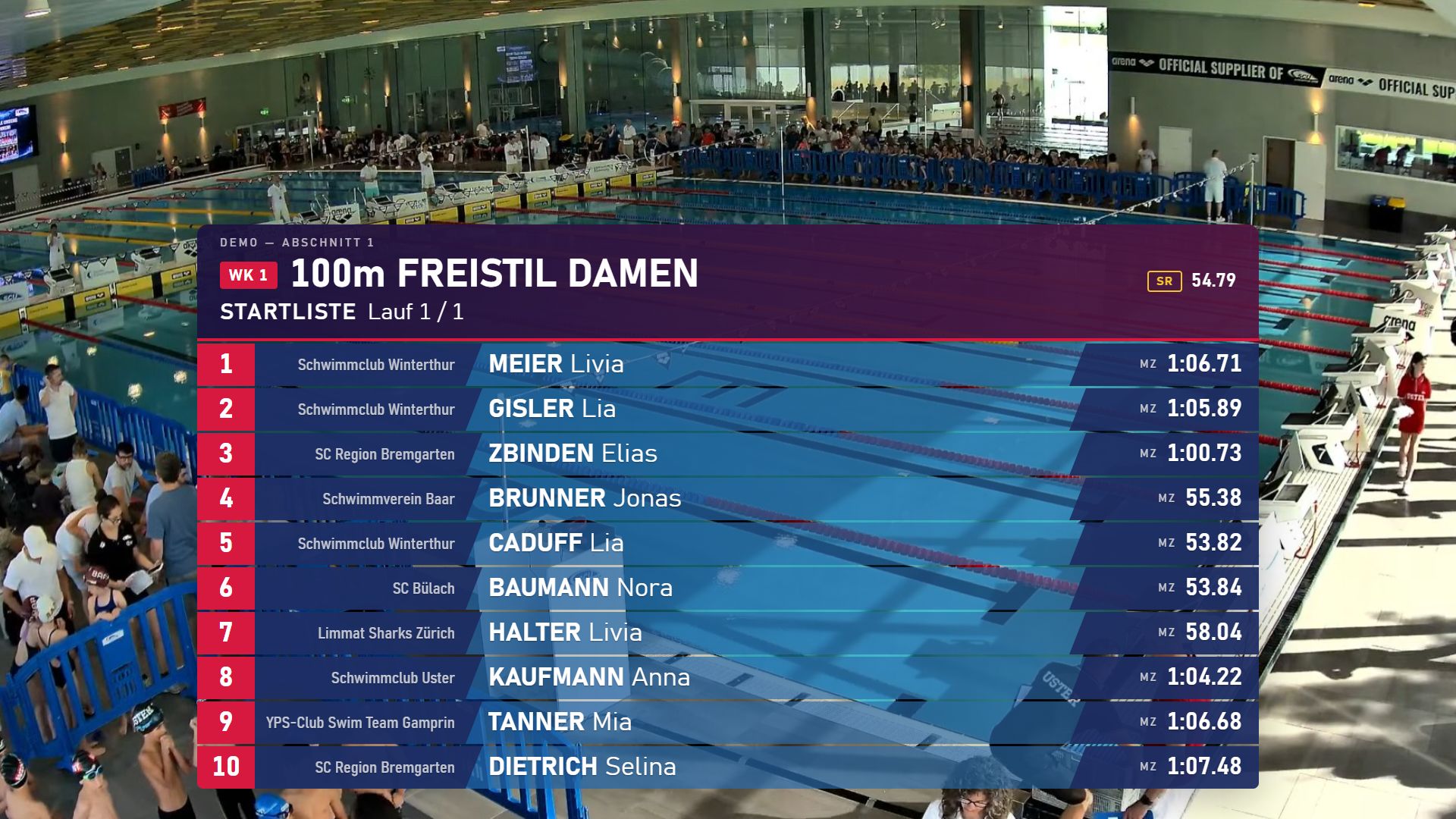
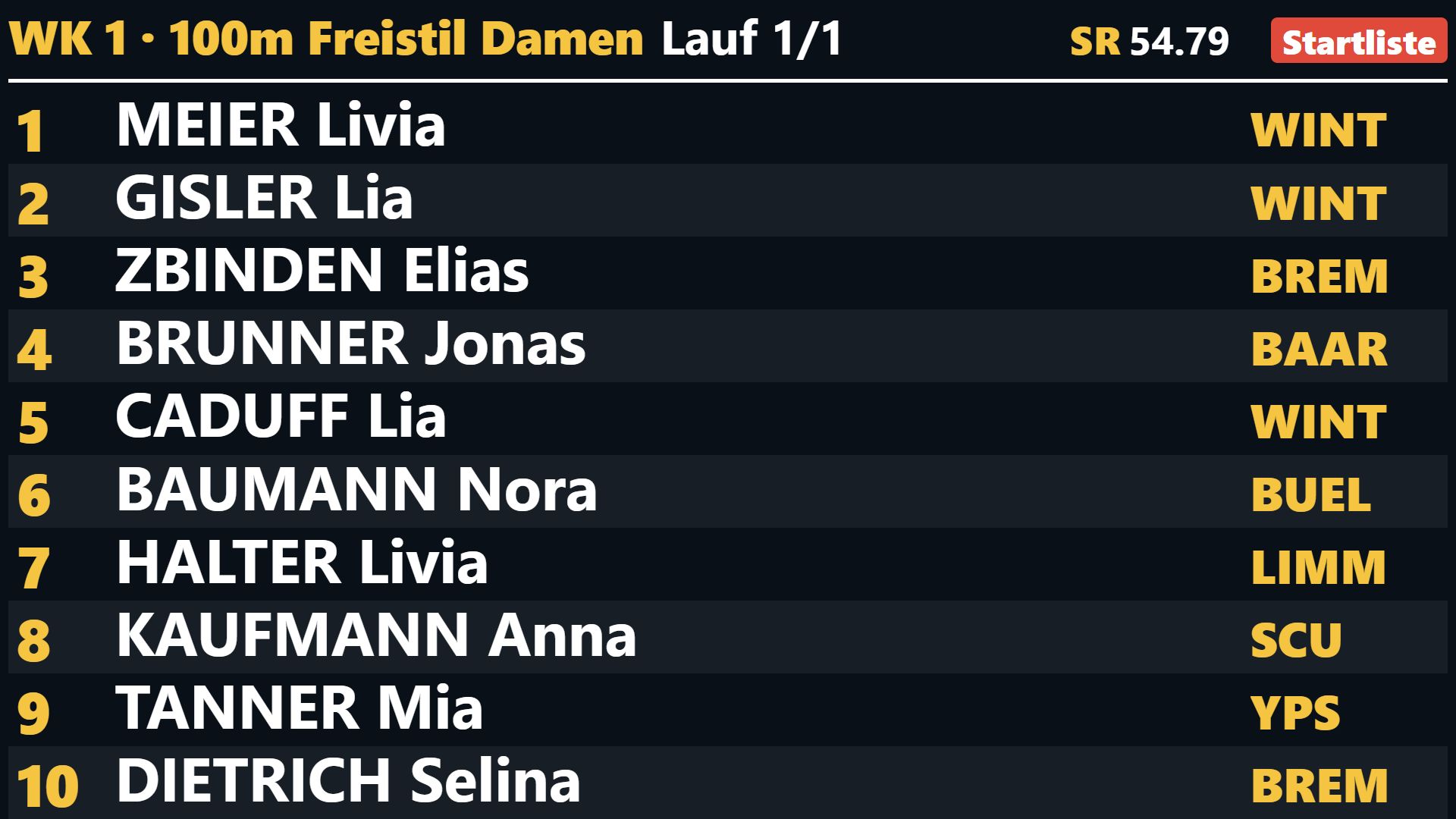
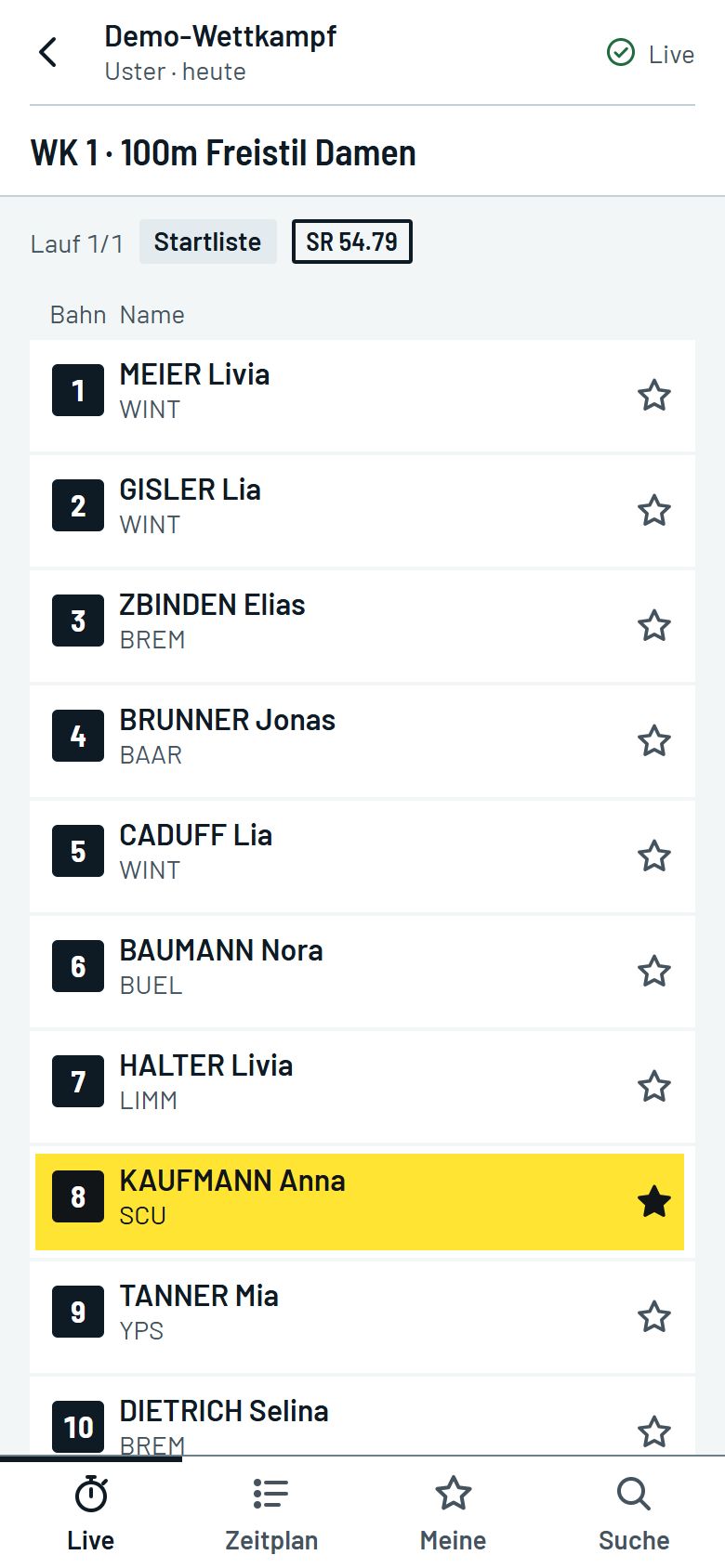
Time Keeper Live listens to the timing system and shows start lists, splits and results in the livestream, on the scoreboard, on the announcer’s monitor and on spectators’ phones, in the browser or as an app. During the race there is nothing to operate.
What you connect
- Computer
- Windows 10 or 11, on the same network as the timing system. An ordinary laptop with 8 GB of memory is enough. Entry data and names stay on this computer unless you switch on an online service such as the live view or send diagnostics.
- Timing
- OMEGA Quantum by Swiss Timing. It reads along via the DH Swimify interface, which you switch on in Quantum. A simulator is built in for setup and testing.
- Entry data
- Splash Meet Manager, optional but recommended. Through the Live Info Server, Time Keeper Live pulls start lists, names, entry times, schedule and results. The import stays stored, even when Meet Manager is briefly unreachable.
- Livestream
- OBS Studio version 28 or later. You add the overlays in OBS as a browser source above the camera picture.
- Scoreboard
- Screen, projector or LED wall. A browser in full screen is enough. Up to three scoreboards are possible, each with its own resolution.
- Phones
- Live view in the browser. Spectators need no app. For this, the meet computer needs a good internet connection.
No cloud required: timing, scoreboard and the overlays in OBS run without internet and without an account.
Lane count, pool length and numbering are freely configurable. On-screen wording comes in German, French, Italian, English and Spanish, and you can override every term.
Start
The timing system sets the pace
The displays switch by themselves, and the OBS scenes too if you wish. The announcer only adds the victory ceremony, lane introductions or announcements when needed.
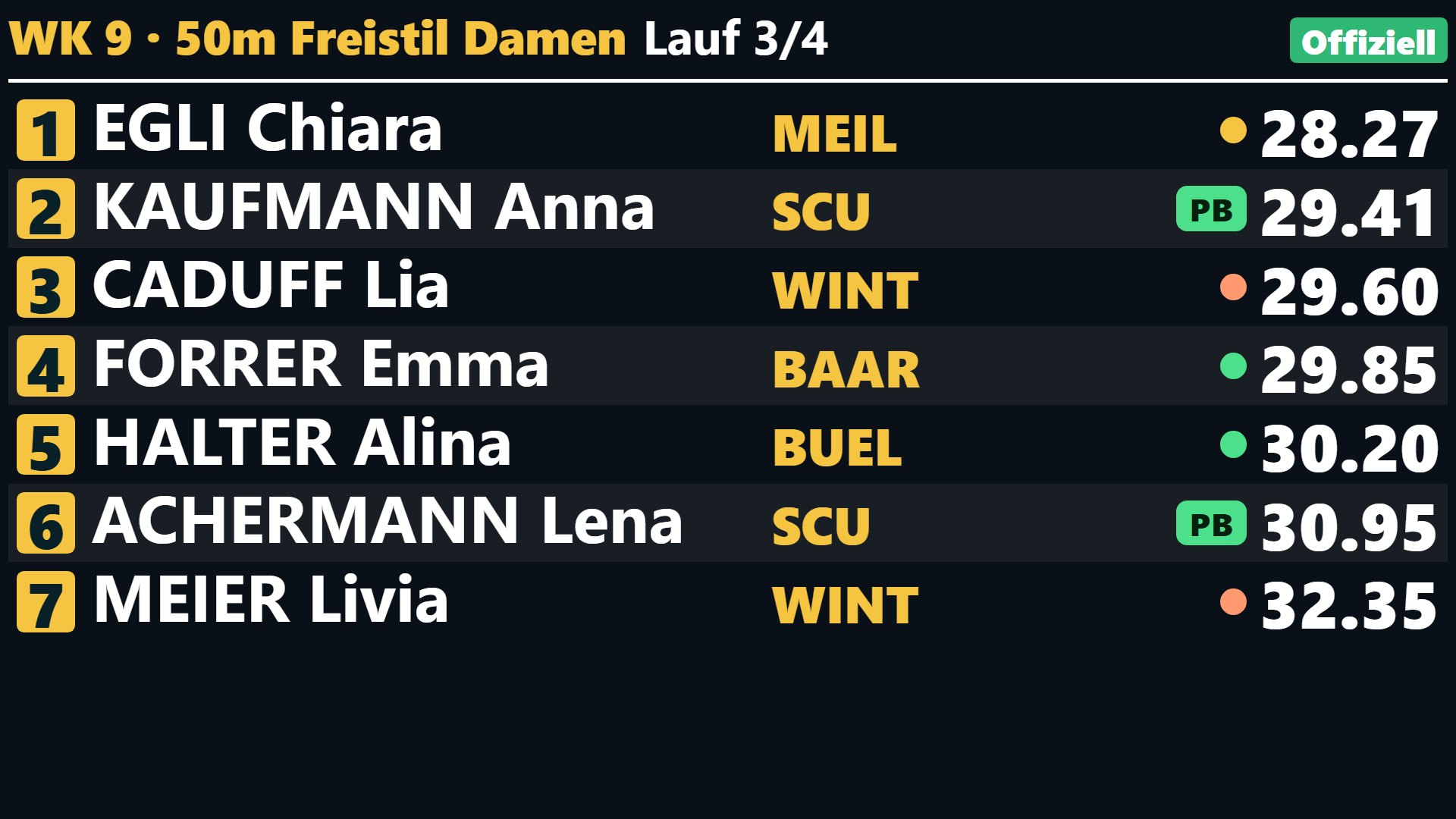
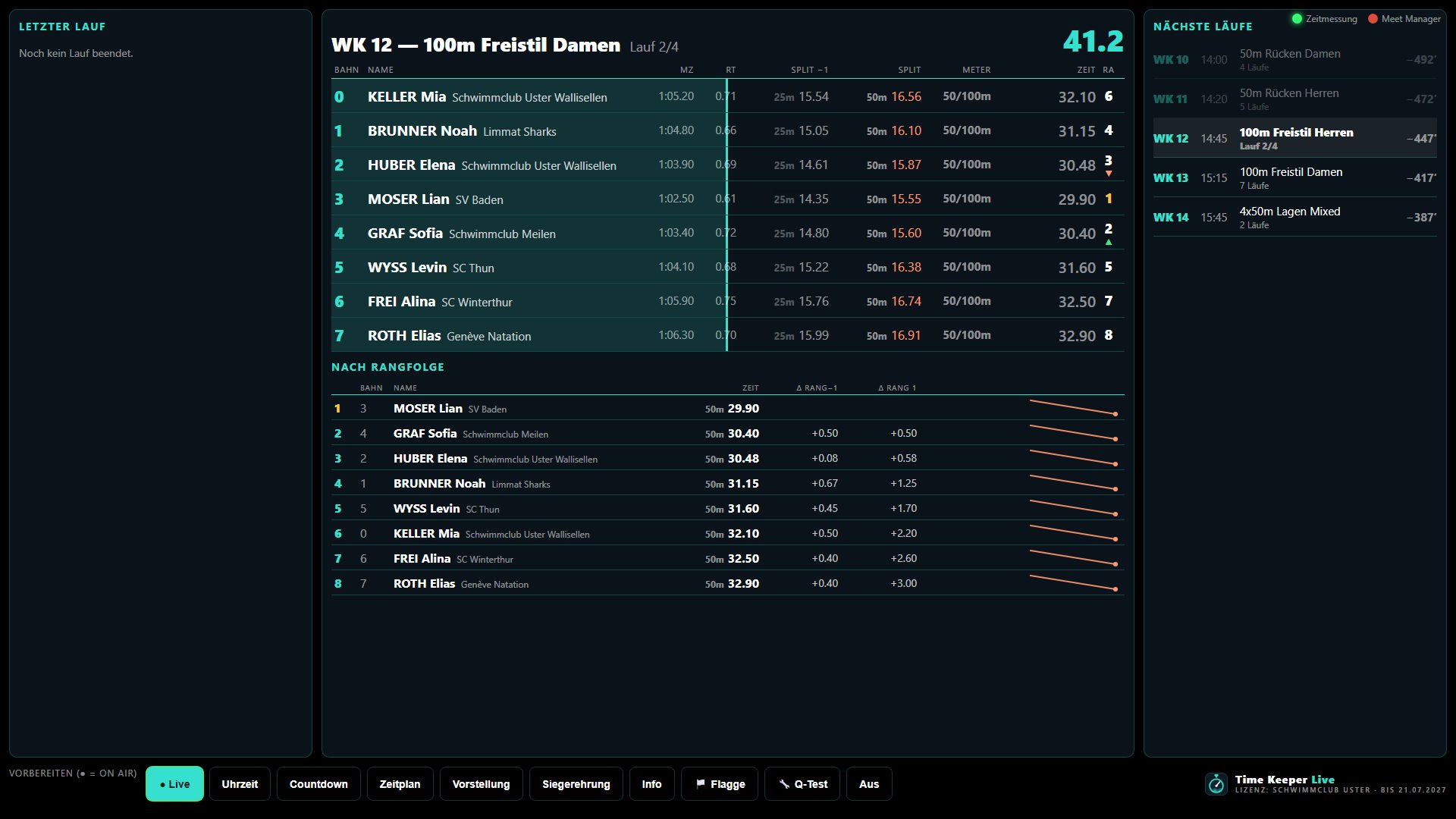
| The timing system reports | Livestream | Scoreboard | Announcer monitor |
|---|---|---|---|
| Start list | Large start list over the picture, with the heat’s records | All lanes with names and club codes | The new heat in fixed lane order |
| Start | Race clock with event, heat and the leader’s distance, the live picture stays clear | The race in progress with the clock | The bar moves at the pace of the last length |
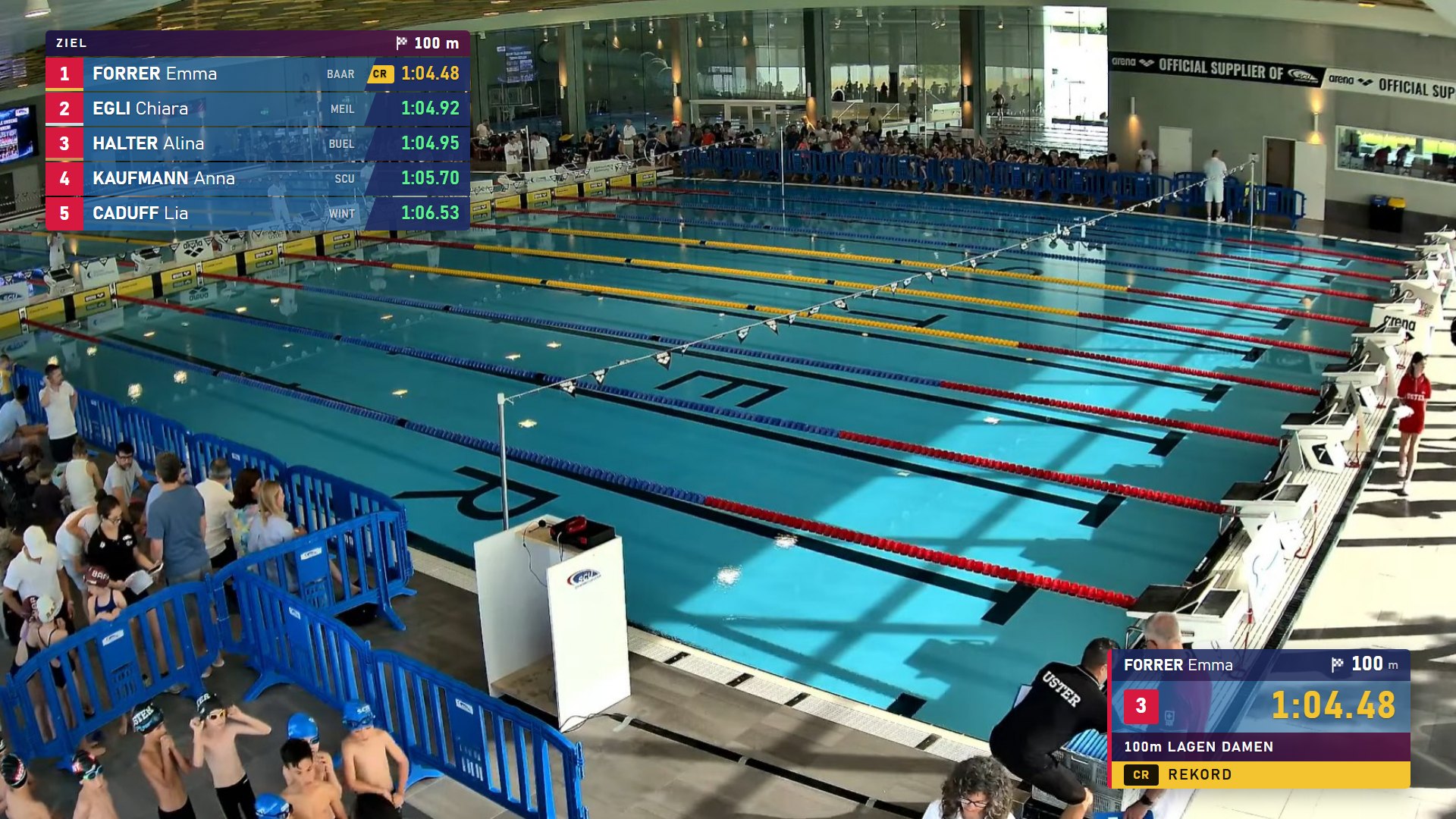
| Turn and finish | Splits at every wall, in a corner of the picture | Length time, distance, rank and time | Order, gaps and split trends |
| Official | Large results list, every final time coloured against the entry time | Ranks with badges, “PB” for a new personal best | “Official” badge, the heat stays up to read back |
On meet day you open each display once in the browser; from then on everything runs by itself. If something goes wrong, a control monitor shows when data last arrived, and an emergency stop removes all graphics.
Race
Watch a race
The demo replays a recorded meet data stream, right in the browser with nothing to install. You see the program’s own pages, recorded in German with a switch to English; French, Italian and Spanish are set in the program.
This is how the TV graphics sit on the camera picture (in OBS the background is transparent): start list and results large, during the race only the race clock and splits in the corners.
Finish
Results on spectators’ phones
Live results in portrait format, right in the browser. Clearly marked as unofficial and updated from the official Meet Manager results.
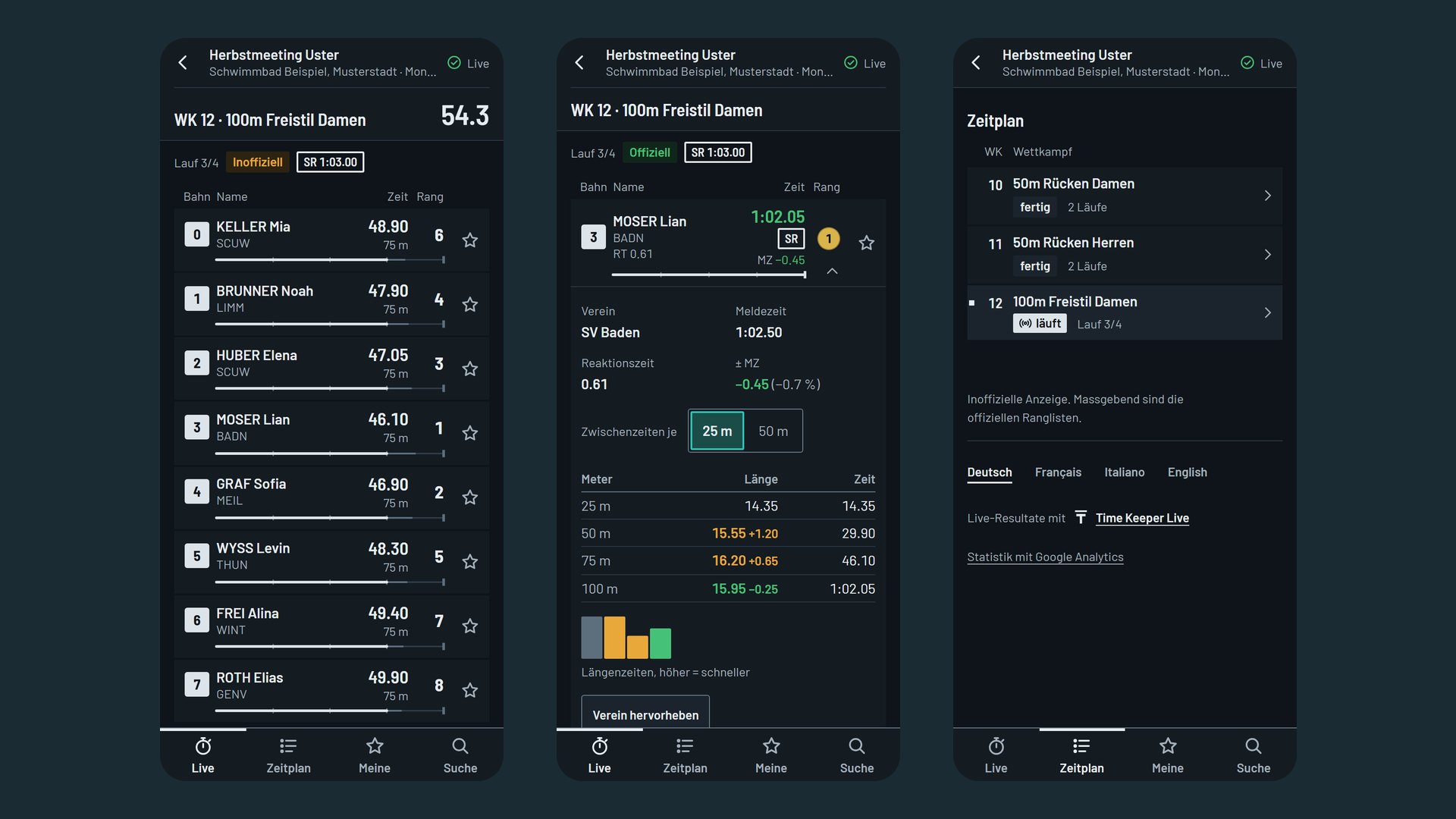
- Live
- Every lane with split and rank, simple or extended with race progress and a projected final time.
- Favourites
- Search for swimmers and clubs and mark favourites with the star; “Mine” lists all their starts. With the bell, a notification arrives shortly before the start, at the start and with the official result.
- Results
- After every event the official results per category from Meet Manager, plus the winners and a medal table by club.
- As an app
- On the Home Screen without an app store. The app collects every competition you have opened and scans the QR code directly.
Post the QR code at the venue or show it on the scoreboard. The competition is then listed under “Current competitions” or reachable by link only, as you prefer.
Official
Unlock it for your meet
For trying out, setting up and practising, the demo version is free: it is the full version with a watermark in all displays. For the meet you unlock it with a licence key.
| Licence | Duration | Price |
|---|---|---|
| Meet | 7 days | |
| Month | 30 days | |
| Season | 1 year |
No subscription: every licence covers all displays and any number of screens, with e-mail support. Prices are still to be set; all amounts exclude VAT.
Demo version for Windows
Free and unlimited in time, with the full feature set. The installer contains everything: server, displays, control panel and a simulator so you can try it without a timing system.